Cam Room Background Ideas
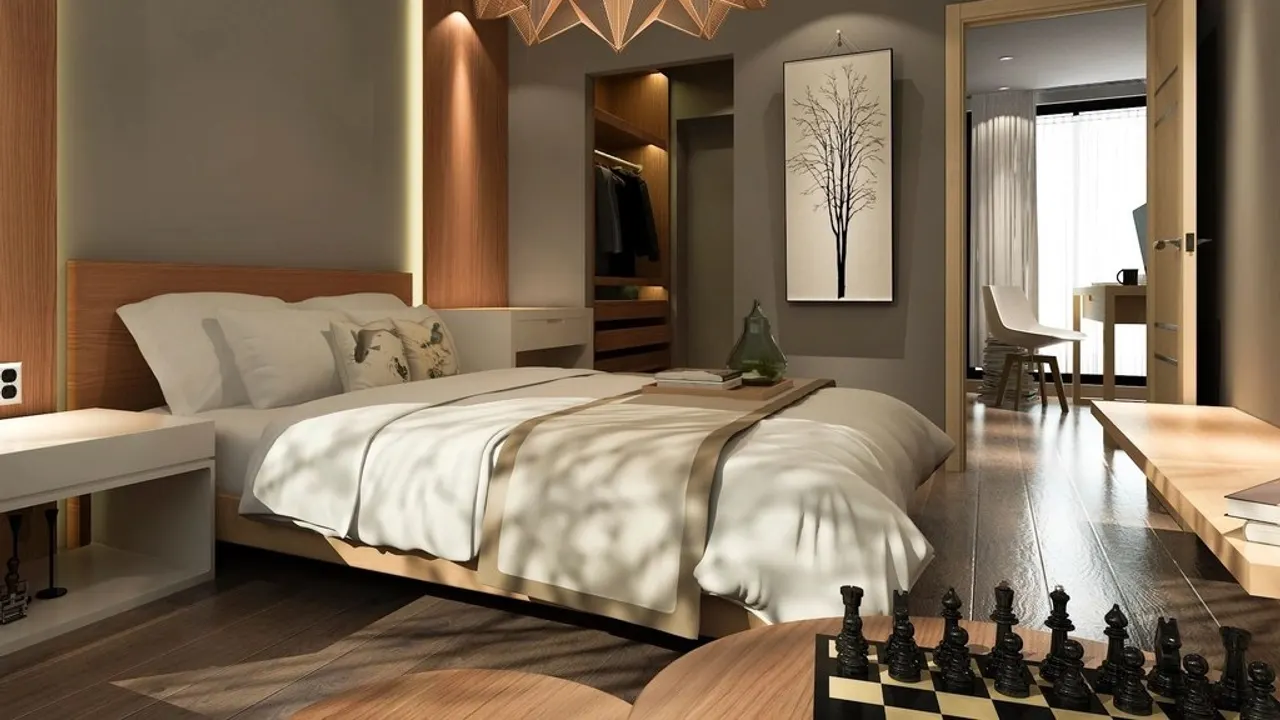
The best cam room background ideas are simple: a tidy, uncluttered wall, one or two soft colors, a little depth from a plant, shelf or accent light, and nothing that can identify you or your home. A plain fabric backdrop or a styled corner works in any room; themed sets come later. Before every show, check the full frame for mail, photos, windows and screens.
In short
- Clean and calm beats busy: viewers should look at you, not your shelves.
- Add depth with distance (sit a meter or more from the wall), an accent light or a few objects at different heights.
- Nothing identifying in frame: no documents, photos of people, window views, local brands or screens with notifications.
- Platform tools help too: geo-blocking on Chaturbate, Stripchat and LiveJasmin, Stripchat's option to hide your country flag, LiveJasmin's "No Face" option.
Platforms do not publish rules about decor, so the ideas on this page are general practice, not platform policy. The privacy tools we mention are documented by the platforms and were checked on October 14, 2026. This guide is part of our cam model section.
What makes a good cam background
- Uncluttered: fewer, larger objects read better on a small thumbnail than many small ones.
- Consistent: the same look show after show makes your room recognizable in the directory.
- Depth: a gap between you and the wall, plus a light or object behind you, makes the picture look less flat.
- Color that flatters: soft, muted tones (warm neutrals, muted blues or greens) are easier on skin tones than saturated walls that reflect color onto you.
- Clean audio: soft furnishings (curtains, rugs, cushions) also reduce echo.
Cam room background ideas by budget and space
Next to nothing
- Tidy corner: clear one corner completely, add a throw blanket and a cushion or two in one color family.
- Bedding as a set: neutral or single-color bedding that you only use on camera, so it looks the same every show.
- Curtain or sheet backdrop: hang a plain curtain or sheet behind you to hide the rest of the room. Steam or stretch it to remove creases.
Small upgrades
- Accent lighting: an LED strip behind a headboard or shelf, or a small lamp, adds warmth and separation (see lighting setups).
- Plants: real or artificial, at different heights, soften a corner.
- A styled shelf: a few neutral objects such as candles (unlit or LED), books with generic spines and a vase. Avoid anything personal.
- Wall art: abstract prints or generic posters; nothing from a local event, school, team or business.
- Textiles: a rug, throw or fairy lights add texture without clutter.
Dedicated space
- Backdrop stand: a frame with fabric or seamless paper lets you change the look in minutes and hides the room entirely.
- Room divider: a folding screen creates a set in a shared or small room.
- Themed sets: seasonal or themed decor for special shows, built on the same base so your room stays recognizable.
- Multiple angles: with a second camera (through OBS scenes, see cam software), plan what each angle shows.
Privacy: keep everything identifying out of frame
Your background can reveal far more than you think: a viewer who sees a letter, a view or a local logo can narrow down where you live. Platforms hold your legal identity for compliance (US rule 28 CFR 75.2 requires ID records and identifying footage), but viewers should only ever see your stage persona. Things to keep out of the shot, as general practice:
| Remove or cover | Why |
|---|---|
| Mail, packages, documents, ID, diplomas, certificates | Names, addresses and schools are readable even at low resolution when zoomed |
| Photos of you, family, friends or pets with names | People who know you may recognize them |
| Windows and views | Buildings, street signs, skylines and weather can locate you |
| Mirrors and glossy surfaces | They reflect parts of the room you did not intend to show |
| Screens (TV, laptop, phone) | Notifications, real names, accounts and location can pop up live |
| Local brands, uniforms, team or school items, work badges | They point to a city, employer or community |
| Distinctive furniture, art or architecture you also show elsewhere | They can link your cam persona to your personal social media |
Sound counts too: local radio, announcements, church bells or a partner using your real name can give away more than the picture.
Platform privacy tools to use alongside
- Geo-blocking: Chaturbate lets you block countries, US states, Canadian provinces and UK regions (it warns IP blocking is "not 100% accurate"); LiveJasmin can hide you from your home country or state plus up to three more; BongaCams can hide your stream from chosen countries, regions and cities. More on geo-blocking.
- Location display: Stripchat lets you hide the country flag taken from your ID.
- Face privacy: LiveJasmin offers a "No Face" option for models who prefer not to show their face.
Platform-specific privacy settings are covered on the creator pages for Chaturbate, Stripchat and LiveJasmin, and the full startup checklist is on how to start camming.
Pre-show background check
- Turn on your lights and camera exactly as you will stream.
- Start a private test or OBS preview and look at the full frame, corners included.
- Zoom in on the preview: can you read anything? Remove it.
- Check mirrors, windows and screens for reflections and notifications; silence your phone.
- Listen for a minute: TV, neighbors, outside noise.
- Move around your normal range; check what new angles reveal.
Making a small room work
Most performers start in a bedroom or a corner of a shared flat. Point the camera into the room's tidiest corner, sit as far from the wall as space allows, and use a curtain or divider to hide everything else. Light yourself, not the whole room; a dim background with one accent light looks deliberate. Your equipment list does not need to grow for this: a sheet, a clamp light and some order go a long way. Spending on decor is easier to plan once you know what you keep per token (platform fees for models) and how payouts arrive (cam payout methods).
FAQ
What should be in the background of my cam room?
Little: a tidy wall or backdrop, soft colors, one accent light and a few neutral objects for depth. Nothing personal or identifying.
How do cam models keep their location private?
By keeping windows, mail, local brands and screens out of frame, using a stage name, and turning on geo-blocking for their own country or region where the platform offers it.
How do I make a small room look good on webcam?
Use the tidiest corner, sit away from the wall, hide the rest with a curtain or divider, and light yourself with a dim accent light behind you.
Should I use a backdrop for camming?
A backdrop is a quick way to hide your room and keep a consistent look. Plain fabric works; a backdrop stand makes it easy to change themes.
Sources we checked
Official pages read for this article (last check 2026-10-14). Links open the source site.