Cam Model Lighting
Good cam model lighting is one soft light in front of you, slightly above eye level, bright enough that your webcam does not have to raise its gain. Add a second, weaker light on the other side to soften shadows and a small light behind you to separate you from the background. Keep all lights the same color, and block mixed daylight if it changes during your show.
In short
- Light is the cheapest way to improve a webcam picture: more light means less grain and steadier color.
- Start with one dimmable, color-adjustable ring light or LED panel; add fill and back light later.
- Soft and diffused beats bright and bare. Bounce or diffuse the light.
- Do not mix warm lamps with daylight or cool LEDs; pick one color temperature.
- Lock your webcam's exposure and white balance once the lights are set.
Platforms say little about lighting beyond asking for it (MyFreeCams lists lighting among its model requirements), so most of this page is general practice from video and photography, not platform policy. Where a platform's documentation matters, we say so. It belongs to our guides for cam models, next to the equipment checklist.
Why lighting matters more than the camera
Webcams have small sensors. In a dim room they compensate by raising gain (which adds grain) and lowering the frame rate (which adds blur). Chaturbate's OBS documentation advises against high frame rates with ordinary webcams, and a webcam struggling for light will not hold a steady frame rate anyway. More light lets the camera use a short exposure and a low gain, which gives a sharper, cleaner picture at the same resolution.
There is also a ranking angle. BongaCams rewards models streaming at 720p or above through OBS with CamScore points and an HD+ icon, and every site's thumbnail grid favors a bright, clear picture. A well-lit room at 720p usually looks better than a dark room at 1080p.
Types of lights for camming
| Light type | Good for | Watch out for |
|---|---|---|
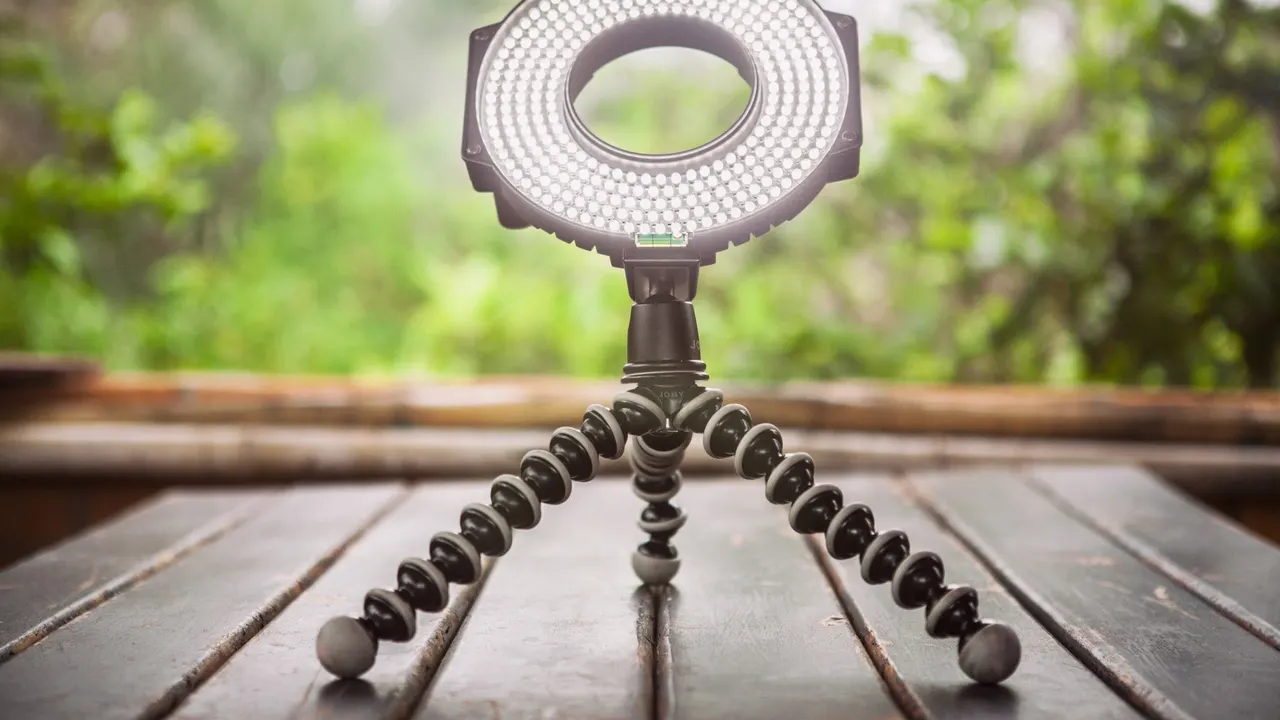
| Ring light | Even, flattering front light in one unit; easy to mount the camera in the middle | Ring-shaped reflections in eyes and glasses; flat look if used alone |
| LED panel | Key or fill light; often dimmable and bi-color | Hard light unless diffused or bounced |
| Softbox | Very soft, wide light; good key light in larger rooms | Takes space; needs a stand |
| LED strip or RGB accent light | Background color, mood, separating you from the wall | Strong colors on skin; keep them behind you |
| Window daylight | Free, soft light during the day | Changes over time; can show the outside world (privacy) |
| Household lamps | Warm background accents | Mixed color with LEDs; flicker on some bulbs |
What to look for when buying: dimmable output, adjustable color temperature (bi-color), a diffuser, a stand or clamp you can position above eye level, and a high color rendering index (CRI 90 or above is a common recommendation for skin tones). LED lights stay much cooler than older bulbs, which matters in a small room.
Cam model lighting setups
One light: the starting point
Place a ring light or diffused panel directly in front of you, just above eye level, angled slightly down. Put the camera in the center of the ring or just below the panel. This gives even, flattering light and is enough for most small rooms. If one side of your face is darker, turn the light a little toward that side or add a white surface (a sheet, a foam board) as a reflector.
Two lights: key and fill
Move the main (key) light about 30 to 45 degrees to one side. Place a second, dimmer light (fill) on the other side at roughly half the brightness. This keeps some shape and depth in your face while softening shadows. A common mistake is setting both lights equally bright, which looks flat again.
Three-point lighting
Add a small back light (also called a hair or rim light) behind you, out of frame, pointing at your shoulders and hair. It separates you from the background and makes the picture look deeper. Keep it weaker than the key light. This is the classic studio setup and works well once you have a dedicated corner.
Background and accent light
A dim colored LED strip or lamp on the wall behind you adds mood without coloring your skin. Keep accent lights behind you and your key light neutral. Ideas for the wall itself are on cam room background ideas.
Color temperature and mixed light
Light has a color, measured in kelvin (K). Warm household bulbs sit around 2,700 to 3,200 K, daylight around 5,500 to 6,500 K. Your camera can balance for one of them, not both at once, so a warm lamp next to a cool LED makes one side of your face orange and the other blue.
- Pick one temperature for all lights on your face. Bi-color LEDs let you match them.
- Close curtains if daylight changes during your show, or use it only as a fill you can live without.
- Set the webcam's white balance manually (in its own software, or in OBS where the camera exposes the setting) once the lights are on, so it does not drift.
Common lighting problems and fixes
- Grainy picture: add light or move it closer; lock exposure and lower gain in the webcam settings.
- Harsh shadows: diffuse the light (diffuser, shower curtain, bounce off a white wall) or add a fill light.
- Shiny skin or glare: lower the light's intensity, move it higher or further to the side; matte makeup helps.
- Reflections in glasses: raise the light and tilt it down, or move it off-axis.
- Flicker or banding: some LEDs and bulbs flicker on camera at certain brightness levels; try a different dimmer level or a different bulb.
- Dark background, bright face: add a small back or background light rather than raising the key light.
- Color changes during the show: turn off auto white balance and block changing daylight.
Lighting, privacy and safety
As general practice, check what your lights reveal, not only what they flatter. A bright key light can make a window reflection or a framed photo legible on camera. Daylight setups often put the window in frame, showing buildings or streets that can identify where you live. Run a test stream and look at the full frame, including mirrors and screens. Pair this with the platform's geo-blocking (Chaturbate, Stripchat, LiveJasmin and others document it; see starting out safely).
For safety, keep lights on stable stands, route cables away from where you move, and avoid covering bulbs with fabric that is not made for it.
Putting it together
Lighting is one part of the full setup. Once the room looks right, set your encoder to match your upload speed with our step-by-step cam streaming setup and pick a broadcaster in webcam model software. Platform-specific requirements are on the creator pages for Chaturbate and Stripchat.
FAQ
Is a ring light good for camming?
Yes, it is the easiest single light: even, soft and easy to mount with the camera in the middle. It can look flat on its own and shows ring reflections in eyes and glasses, so many performers later add a side or back light.
Why is my webcam picture grainy?
Usually not enough light: the webcam raises gain to compensate, which adds grain. Add or move a light closer and lock exposure in the webcam settings.
What color light is best for a webcam?
Any single, consistent color temperature works. Neutral daylight-balanced LEDs are easiest to match; warm light looks cozy. Avoid mixing warm and cool sources on your face.
How many lights do I need for streaming?
One is enough to start. Two (key and fill) give more shape, and a third behind you separates you from the background.
Sources we checked
Official pages read for this article (last check 2026-10-14). Links open the source site.